Subtyle
Batch style editor for ASS / SSA subtitles — restyle a whole season in one click.
You downloaded a season of anime. The subtitles work fine, but the styles are ugly — tiny font, bad color, awful outline, wrong position. You want to restyle all 12 episodes the same way without opening each file one by one. That’s what Subtyle is for.
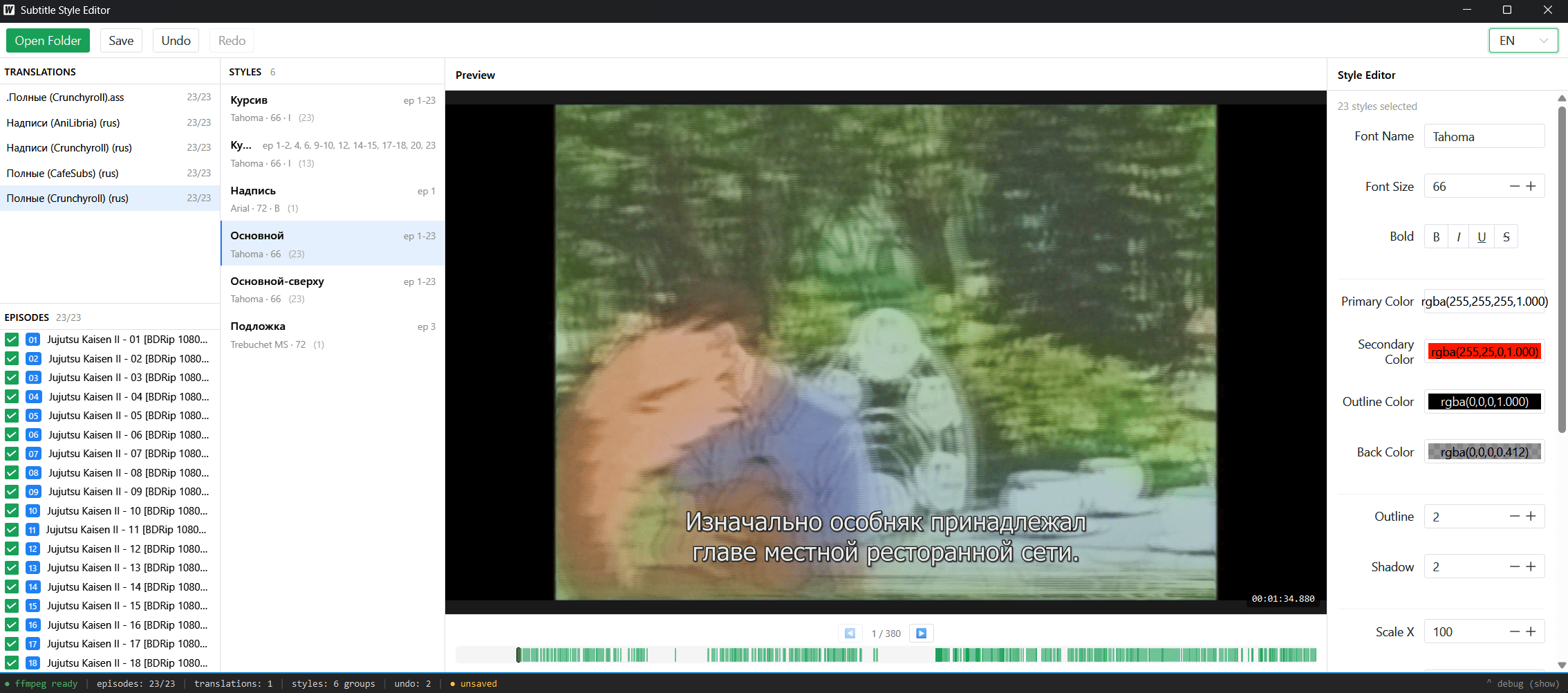
It does not edit subtitle text, timing, karaoke, or typesetting. If you need those, use Aegisub. Subtyle is the narrower, dumber, faster tool for one specific job.
Before / after
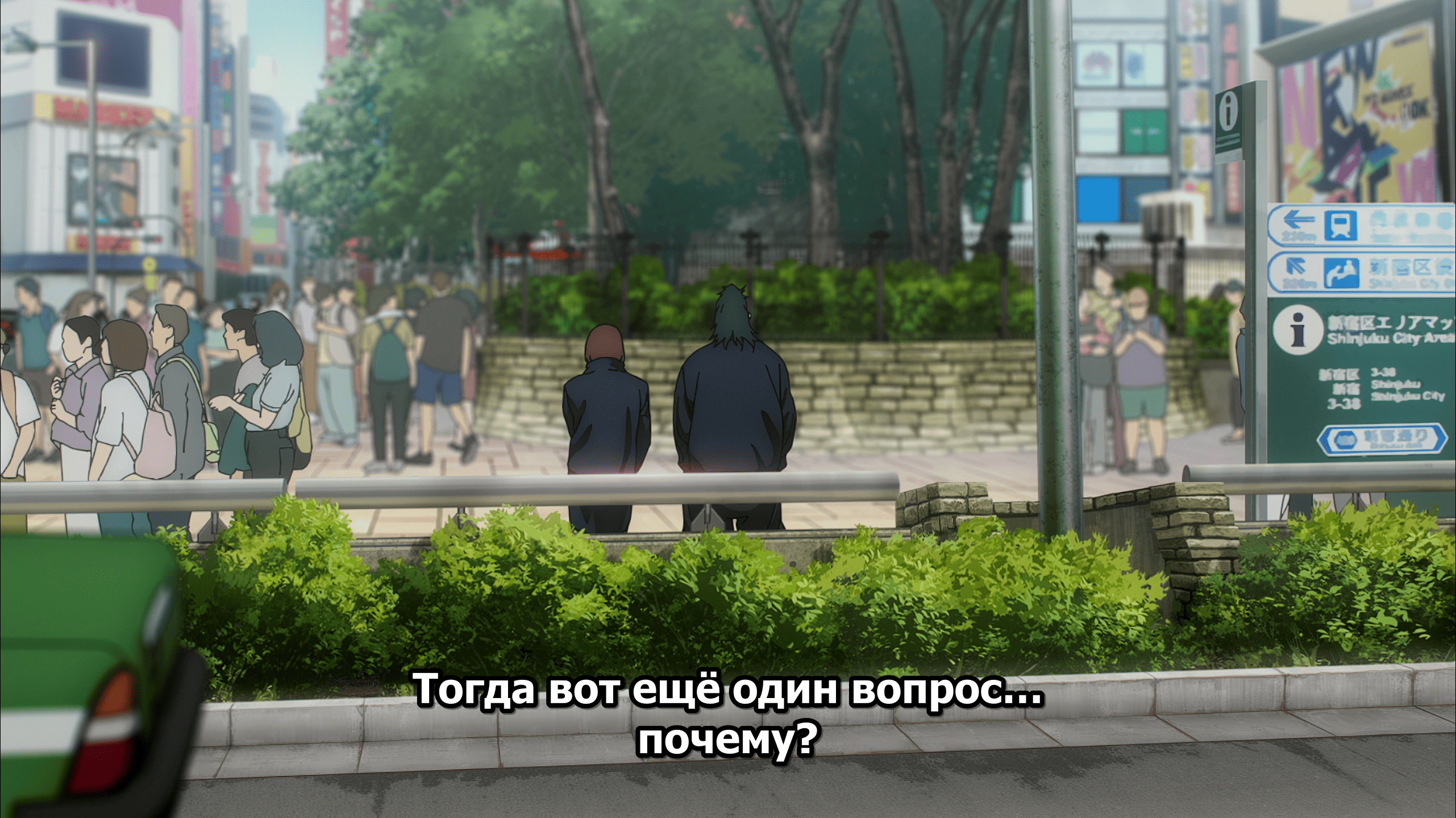
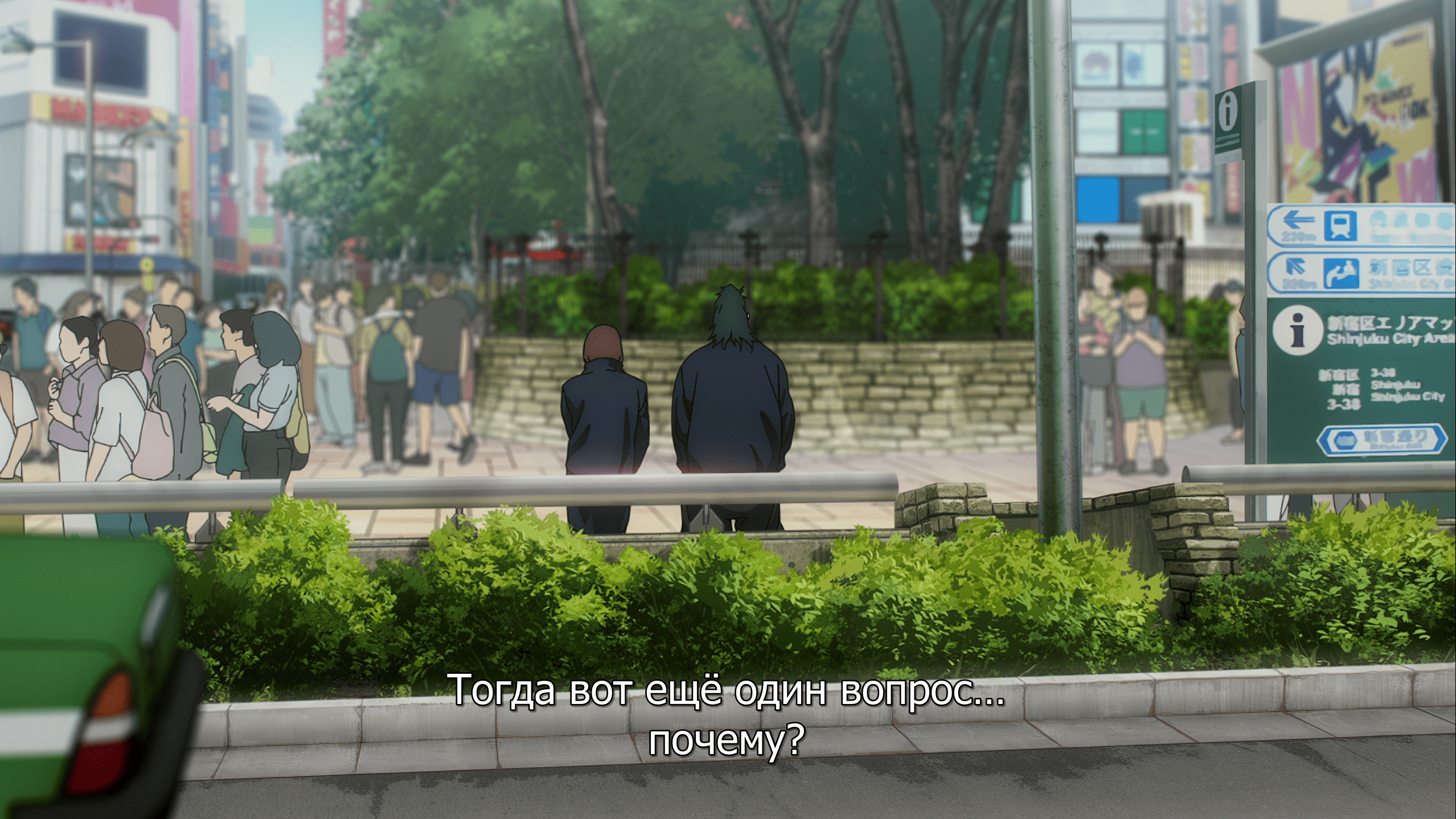
Same frame, same subtitle event — only the style changed. Applied to the whole season in one click. Drag the cursor over the image to compare.
What it does
- Scans a folder for
.ass/.ssasubtitle files and video files - Extracts embedded ASS tracks directly from MKV / MP4 containers — no
mkvextractrequired - Lets you edit only styles: font, size, primary/secondary/outline/shadow colors, bold/italic, alignment, margins, border style
- Renders a live preview frame from the actual video with your styles applied (via
ffmpeg+libass) - Applies your styles across every file in the folder and saves them in one click
- Bundles
ffmpegon demand — downloads it on first launch if you don’t already have one
Why not Aegisub
Aegisub is the gold standard for fansubbing — timing, typesetting, karaoke templating, frame-by-frame scrubbing, the works. Subtyle is not trying to replace it.
Subtyle exists because Aegisub is clumsy for one specific use case: “I just want these 12 files to look the same, and I want that to take 30 seconds.” Aegisub is Photoshop. Subtyle is the “change font across the whole folder” button that Photoshop doesn’t have.
Notes
100% vibe-coded — every line of the Go backend, the Vue frontend and the README was produced by an LLM, steered through natural-language prompts. Use at your own risk. Primary target is Windows; the Linux build compiles but isn’t tested.